 Hormuz Labs
 Sibbal OS · for legal work
Mark the clause. Get the answer, cited.
A private desktop workspace where you review documents, draft and research with Sib, an assistant that shows where every answer comes from.
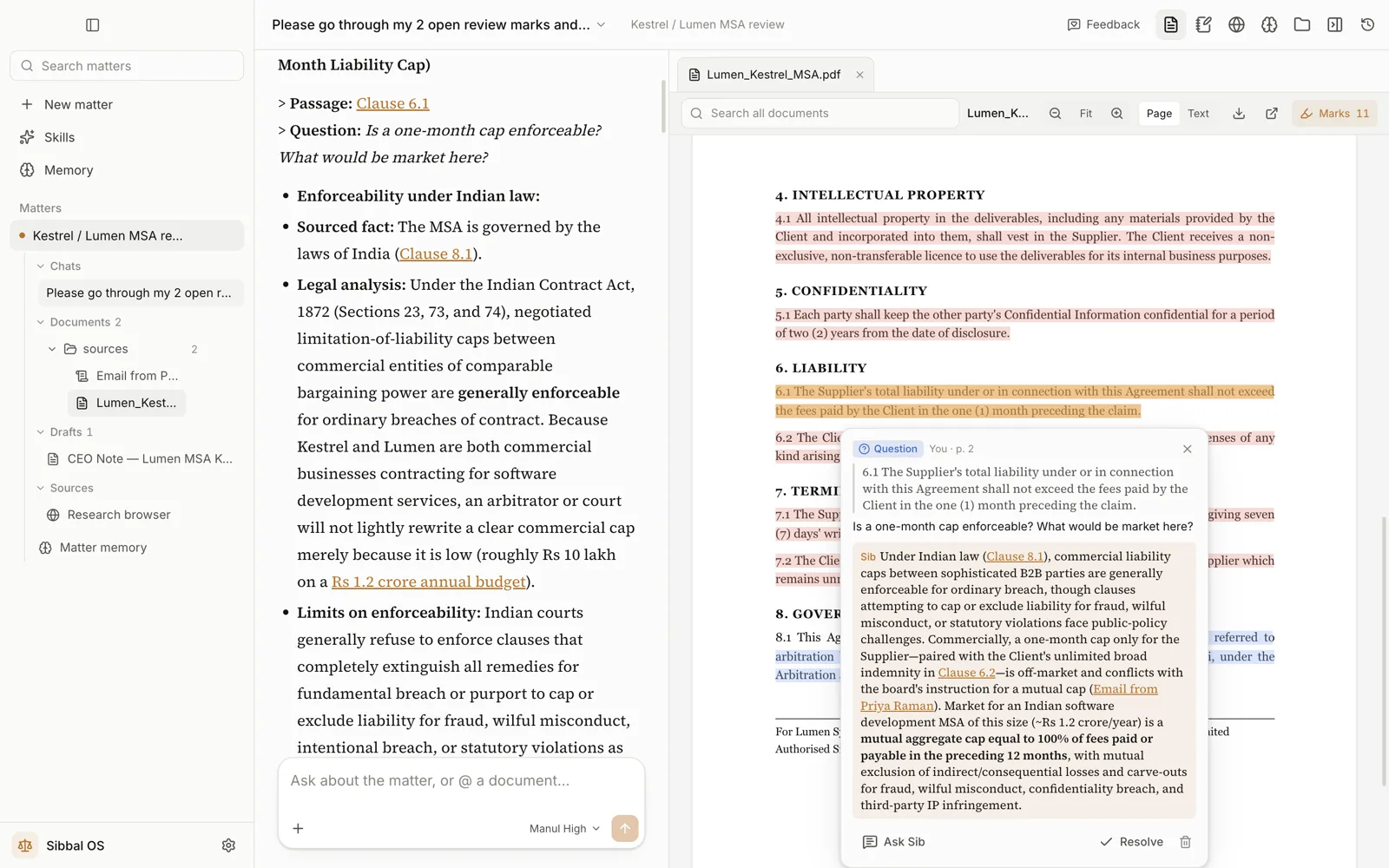
Watch the whole tutorial.
Five minutes, one real matter, start to finish: marks, Sib's cited answers, linked documents, redlines and the client note.
How a review goes.
- Drop in the documentsThe agreement, the client's email, a whole folder or a ZIP. Sibbal OS opens a matter, names it, and shows the first document.
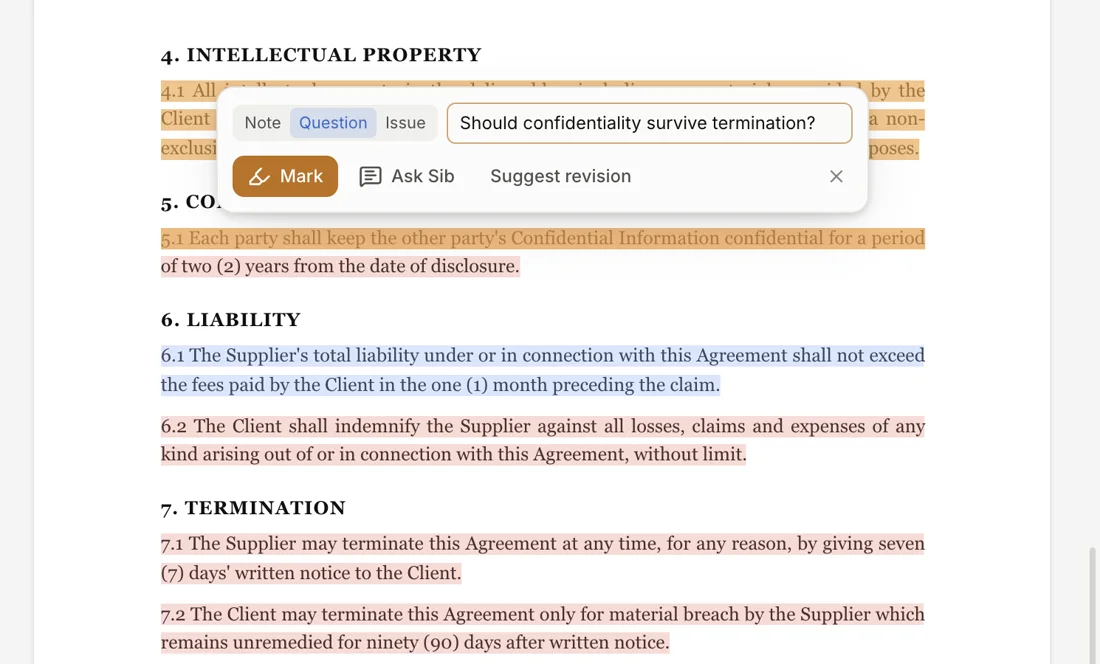
- Mark what mattersSelect a passage and mark it as a note, a question or an issue, with a line of your own. The mark bar opens right above the text.
- Ask SibSib answers every mark in the chat and in the mark itself, and flags the clauses you missed. Marks stay open until you settle them.
- Draft and sendAsk for the client note. It opens as a draft beside the chat, and exports to Word or PDF.
Select a passage. Mark it.
Choose Note, Question or Issue, add a line and press Enter. Or ask Sib about the passage straight away, or have it suggest new wording. Click any highlight to open its mark.
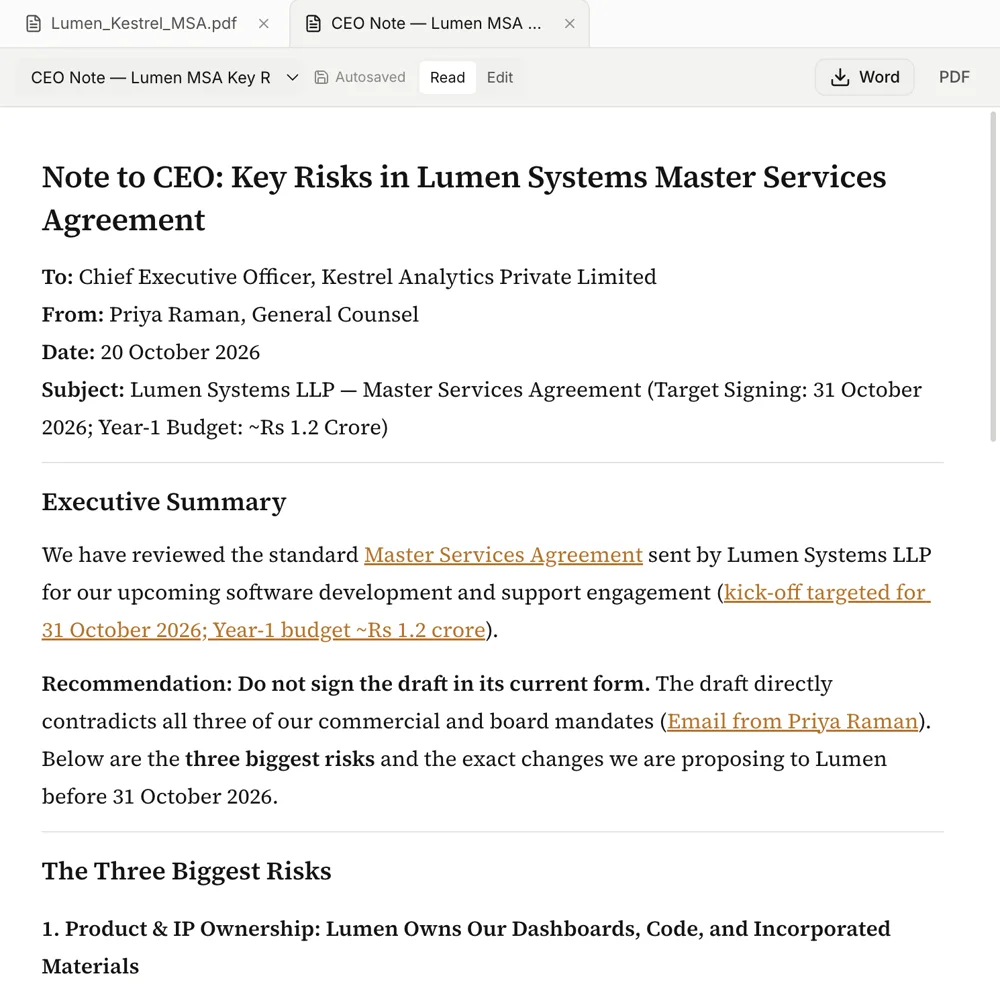
Drafts that read like a page.
Ask for a note to the client or a memo, and it opens beside the conversation, ready to read. Switch to Edit to change it; it saves as you type. Export to Word or PDF with your clause numbering, tables and page numbers kept, or put its tables into Excel.
Sib connects the documents.
The cross-referencing you used to do by hand, done as Sib reviews. You click once to follow it.
- Passages that belong togetherSib links testimony to the exhibit that contradicts it, and a defined term to the clauses that turn on it. Click a link and the other document opens beside the first.
- Two documents side by sideRead the deposition and the exhibit together, each with its own marks lit on the page.
- What changed, word by wordAdd a new version and the redline opens by itself: deletions struck through, insertions underlined, every change listed. Ask Sib which ones matter.
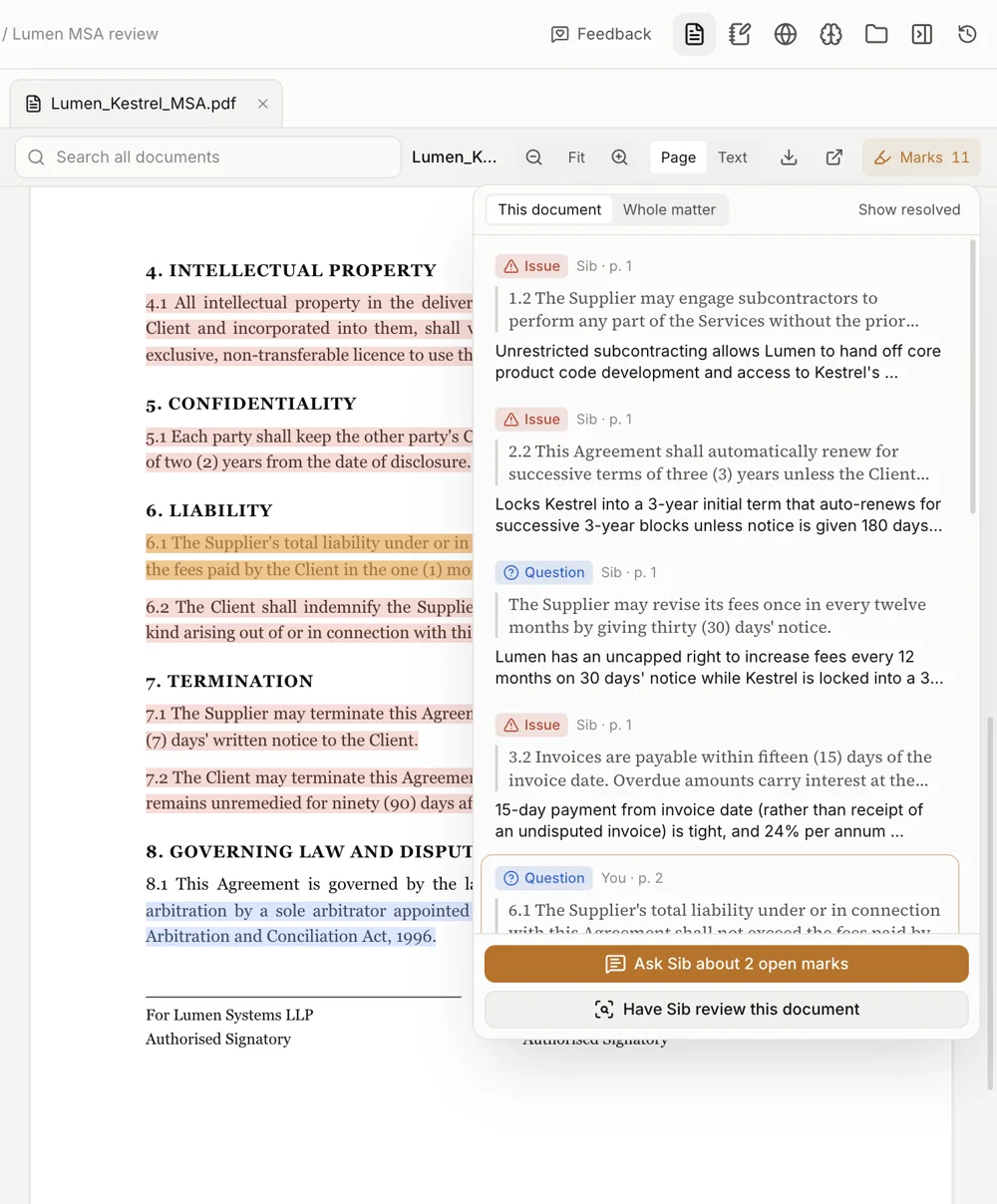
- Marks sorted for youSib tags each mark by issue, witness or party, and the Marks menu filters by any tag. When the next step is clear, Sib offers it as a button.
Everything for a matter, in one window.
- Matters, kept as foldersEach matter holds its documents, chats, drafts, research and memory, on your own computer. Pin the ones you're working on and drag the rest into your own order.
- Answers that citeSib grounds its work in the matter's documents and saved sources. Click a citation and the passage opens, highlighted.
- Reads what you havePDF pages as they are, with zoom; Word, PowerPoint and Excel files; text and Markdown. One search covers every document in the matter.
- Memory per matterThe parties, the deadline, what the client asked for. Open Matter memory to see exactly what Sib keeps, and change anything.
- A research browserLook up statutes, judgments and registries inside the workspace, and save sources to the matter.
- Tell us what's missingThumbs under every answer and a Feedback button in every matter go straight to the team.
Legal skills, built in.
Each skill is a working method Sib reads before it starts: what to check, how to structure the findings, and where to look for the law.
- NDA reviewTriage or redline a mutual or one-way NDA against your playbook positions.
- Commercial contract reviewCompare a vendor, customer, services or licensing agreement with your playbook and produce cited findings.
- Contract amendment reviewTrace a clause through amendments, addenda, waivers and side letters to its current text.
- SaaS agreement reviewRenewal, pricing, service levels and online terms packages.
- Data processing agreementsDPAs, privacy annexes, cross-border transfers and subprocessors.
- Corporate diligenceInventory a data room, review material contracts and organise findings.
- Demand lettersPayment demands, breach or cure notices, cease-and-desist and preservation letters.
- Employment investigationsOrganise a workplace, whistleblower or misconduct investigation.
- Privacy impact assessmentsDecide whether a PIA or DPIA is needed and draft it.
- Regulatory policy reviewCompare a new law, rule or circular with internal policies and controls.
- Trademark clearanceA preliminary availability and likelihood-of-confusion review.
- India legal researchStatutes, rules, judgments and gazette notifications from official primary sources.
- Legal presentationsPowerPoint decks from matter documents and drafts: hearings, client briefings.
Questions
Which Mac do I need?
macOS 12 or later. Download the Apple silicon build for M1 and newer Macs, or the Intel build for older ones (Apple menu → About This Mac tells you which). The app is signed with a Developer ID and notarized by Apple, so it opens without a security warning.
How do I start?
Open Sibbal OS, drop your documents onto the start screen and press the arrow. You get a matter, named for you, with the documents open. Sign in to your account once, under Settings, so Sib can answer.
Which files can I bring in?
PDF, Word (DOCX), PowerPoint (PPTX), Excel (XLSX), text and Markdown files, whole folders or a ZIP.
How does it keep track of where an answer came from?
The legal agent grounds its work in the matter's documents and the sources you saved, and cites them as it writes. Each citation is a link: click it and the passage opens beside the conversation.
Where do my documents live?
In matters on your own computer, each kept as a folder with its documents, chats, drafts and research. It is a desktop app, not a web service you upload files to. The model you work with sees what the agent sends it to answer your question.
Is it legal advice?
No. Sibbal OS is a workspace for people doing legal work: it reads, drafts and researches alongside you, and you check and decide.
How do I tell you what is missing?
Use the thumbs under any answer, or the Feedback button at the top of every matter. It goes straight to the team building Sibbal OS. Your documents are never sent with it unless you tick the box to include an answer.
Open your first matter today.
Download it, drop in a contract, and sign in once inside the app so Sib can answer.
Questions: hello@hormuz-labs.dev